Running intermittent well calculations
On this page
5.3.7.2.1. Running Intermittent Well Calculation#
To calculate the intermittent well parameters, perform the following actions:
-
Open the nv.design module. For details on navigation in the system, see System Interface.
-
In the left part of the working area, in the list of the module sections, click Intermittent production. To the right of the list, the Pump tab opens.
 Select image to enlarge
 -
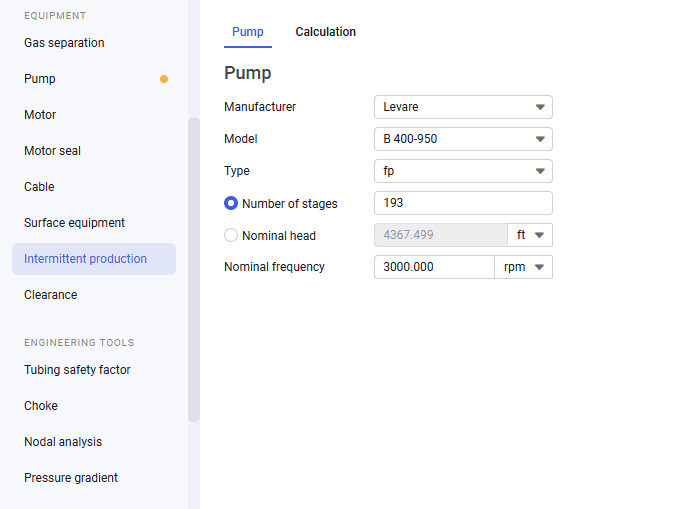
On the Pump tab, select a manufacture, model, and type of the pump from the corresponding lists.
Note
If you have already selected a pump in the Pump section, this data is automatically pulled from there (the first pump section only). You can select another pump and/or edit its parameters. To revert the pump selection to its initial model, click the Revert to calculated value (
 ) button that appears to the right of the first three parameter lists.
 -
Select the Number of stages or Nominal head option and enter the corresponding parameter value. The value of the other parameter is calculated automatically.
-
(Optional) In the Nominal frequency field, modify the frequency value. The default value is 3 600 rpm.
-
On the Calculation tab, in its upper-right corner, click Inflow parameters and configure initial well production conditions. For details, see Calculating Inflow Parameters.
 Select image to enlarge
 -
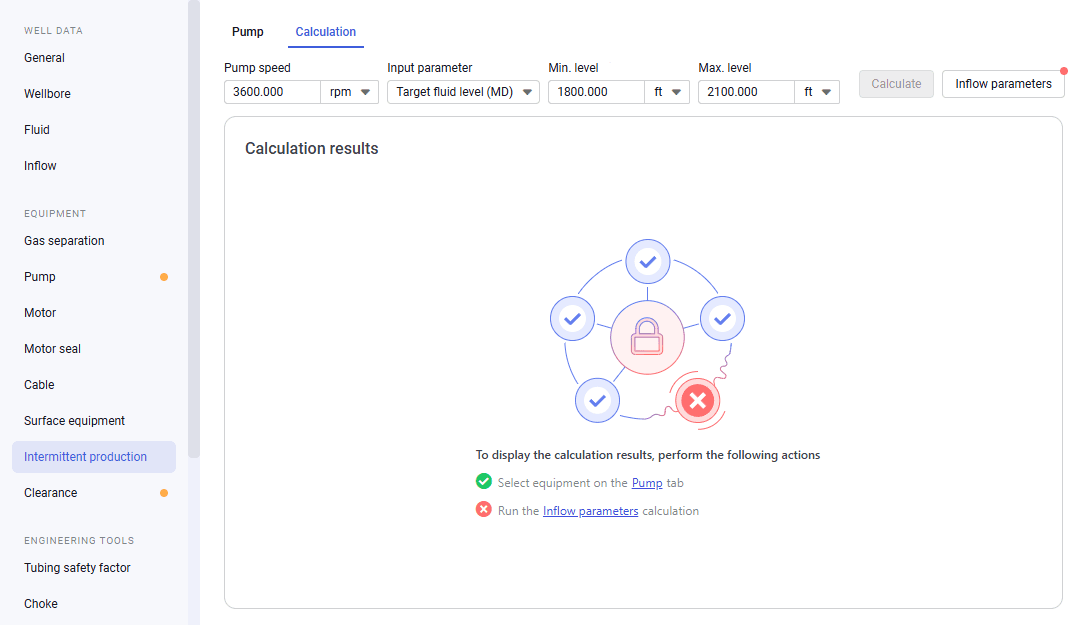
(Optional) At the top of the tab, enter the desired value in the Pump speed field. By default, its value is set to 3600 rpm.
-
At the top of the tab, from the Input parameter list, select one of the following options:
-
Target fluid level (MD): Calculation based on the minimum and maximum dynamic levels.
-
Target bottomhole pressure: Calculation based on the accumulation time and bottomhole pressure.
-
Target intake pressure: Calculation based on the minimum and maximum pressures.
-
-
Depending on the calculation method selected at the previous step, to the right of the Input parameter list, enter the corresponding parameter values.
-
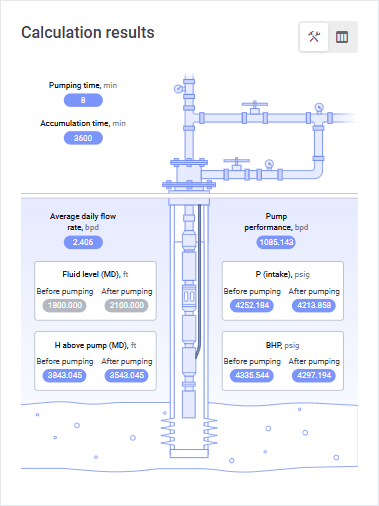
In the upper-right corner of the tab, click Calculate. In the Calculation results pane, on the well structure layout, calculated values appear in the parameter labels. Gray labels correspond to the entered values; blue labels indicate calculated parameters.
 Select image to enlarge
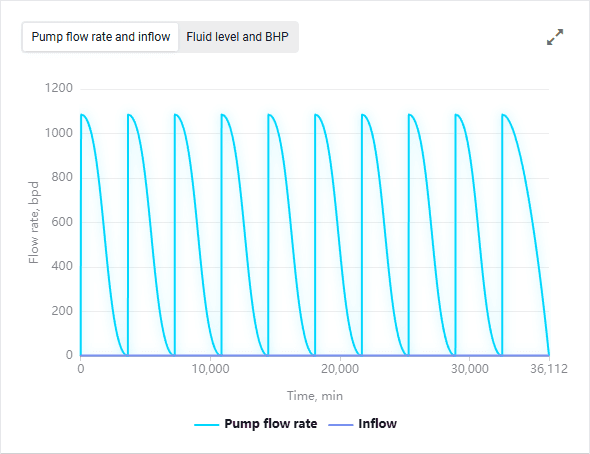
In the right part of the tab, charts with extended calculation results for each of the ten calculated pumping-accumulation cycles are displayed.
 Select image to enlarge
For details on the calculation results, see Calculation.
5.3.7.2.2. Calculating Inflow Parameters#
To calculate initial intermittent well parameters, perform the following actions:
-
Open the nv.design module. For details on navigation in the system, see System Interface.
-
In the left part of the working area, in the list of the module sections, click Intermittent production, and then go to the Calculation tab.
Select image to enlarge -
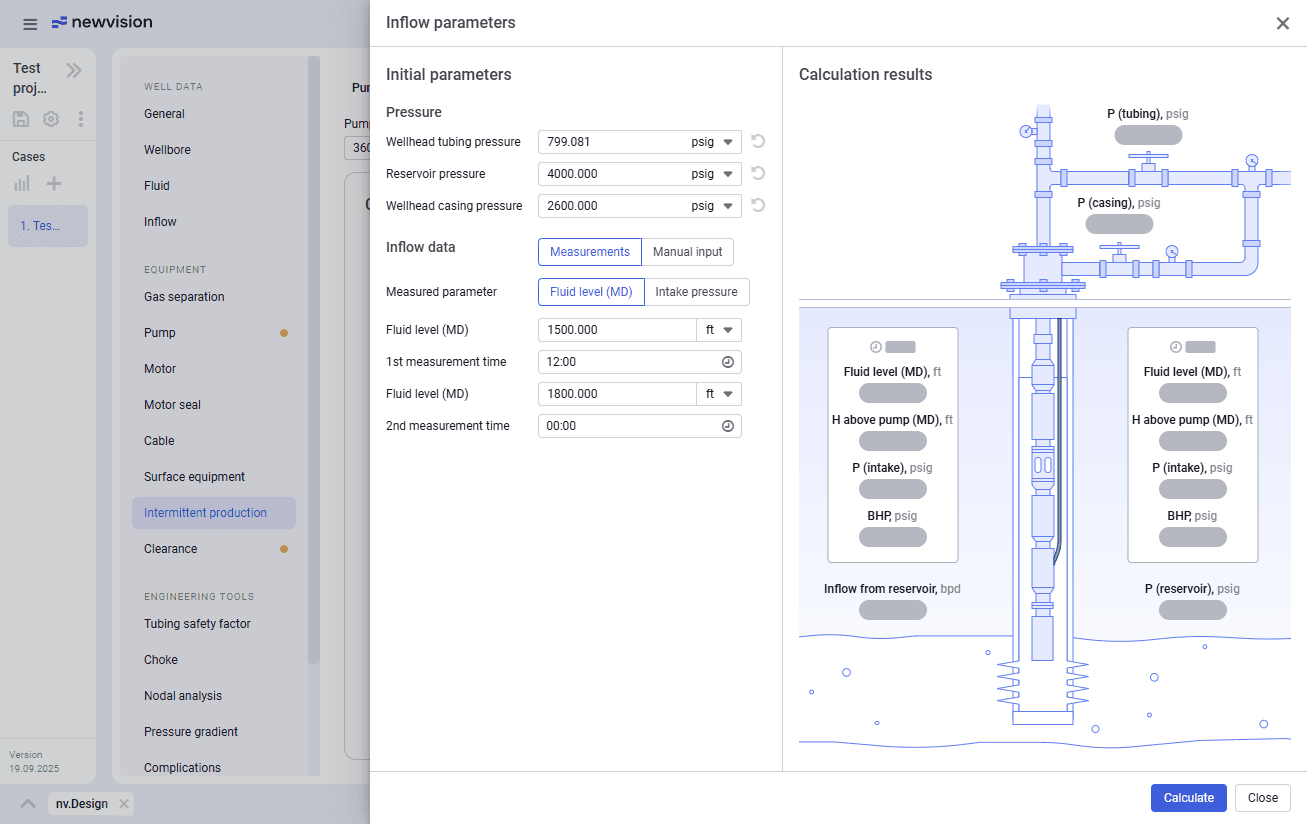
In the upper-right corner of the Calculation tab, click Inflow parameters. The Inflow parameters opens.
 Select image to enlarge
 -
(Optional) In the Pressure parameter group, edit the desired values.
Note
By default, the pressure parameter values are pulled from the Inflow section. After editing, you can revert them to their initial values by clicking the Restore value from Inflow (
) button that appears to the right of each parameter field. -
To the right of the Inflow data heading, select one of the following calculation methods:
-
Measurements: Calculation based on measurement data for dynamic level or intake pressure at two points in time.
-
Manual input: Calculation based on reservoir inflow rate and bottomhole pressure at a single time point.
-
-
Depending on the selected calculation method, perform one of the following actions:
-
If the Measurements method is selected, perform the following actions:
-
Select the Measured parameter option: Fluid level (MD) or Intake pressure.
-
Depending on the selected option, in the Fluid level (MD) or Intake pressure fields, enter two measured values of the corresponding parameter.
-
In the 1st measurement time and 2nd measurement time fields, enter manually or select from the lists the time of the corresponding measurements.
-
-
If the Manual input method is selected, in the Inflow from reservoir and Bottomhole pressure fields, enter the corresponding values.
-
-
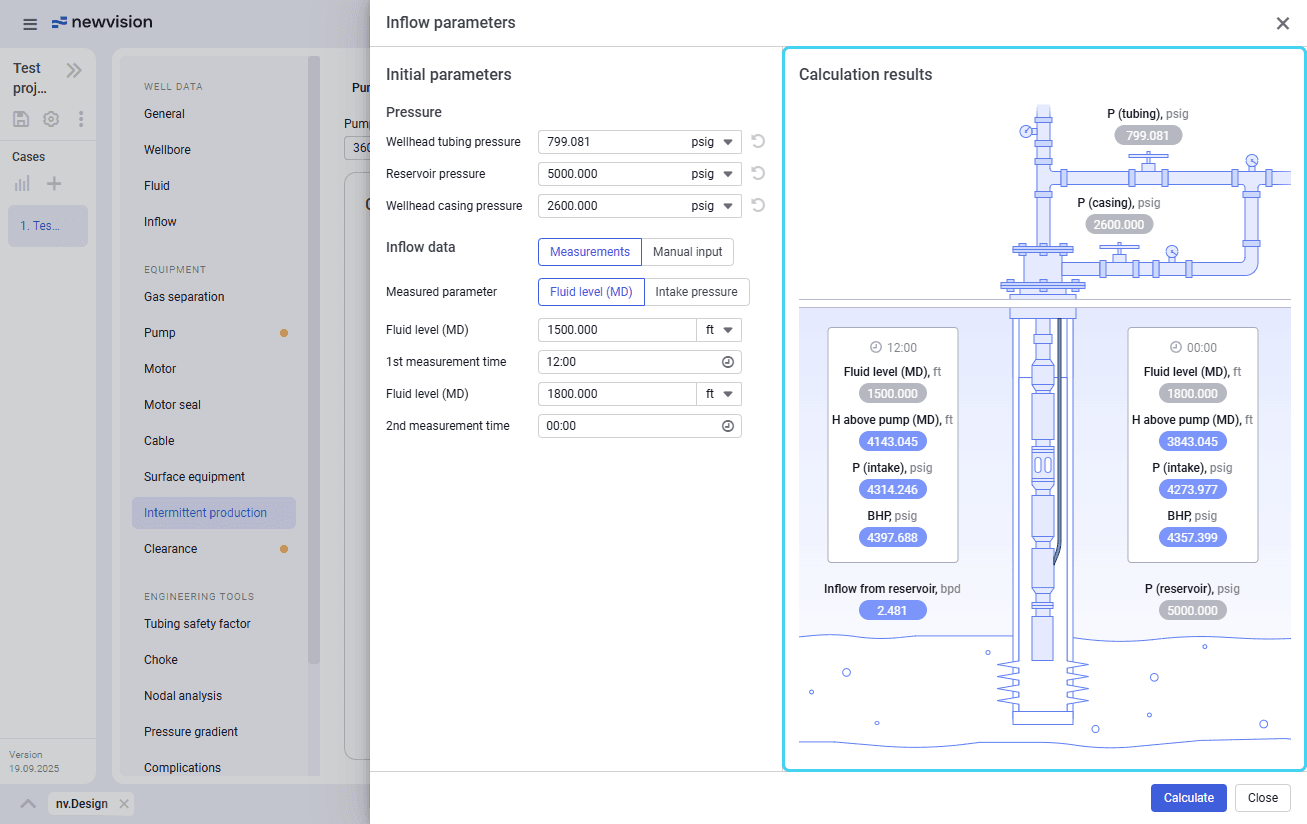
In the lower-right corner of the window, click Calculate. In the right part of the window, on the well structure layout, calculated values appear in the parameter labels. Gray labels correspond to the entered values; blue labels indicate calculated parameters.
 Select image to enlarge
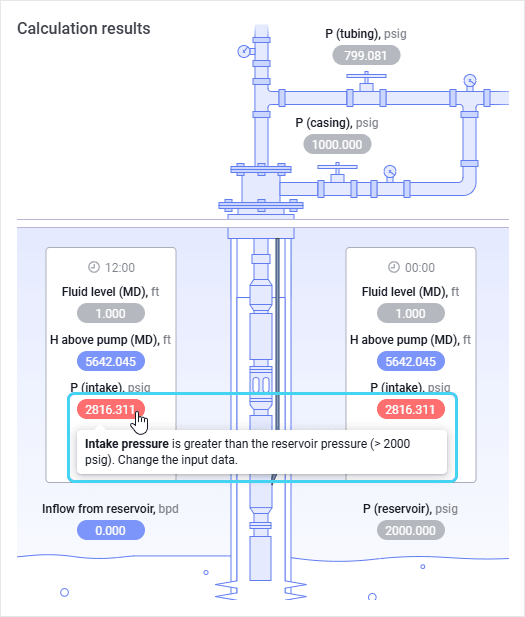
If the calculation results contain warnings or errors, labels with such values are highlighted with an orange (warning) or red (errors) fill. On hovering over them, the warning or error description appears.
 Select image to enlarge
Important
You cannot proceed until all errors in the calculation results are fixed.
-
In the lower-right corner of the window, click Close.