Configuring pump derating factors
In the Pump section, you can configure derating factors affecting the pump performance.
To do this, perform the following actions:
-
Open the nv.design module. For details on navigation in the system, see System Interface.
-
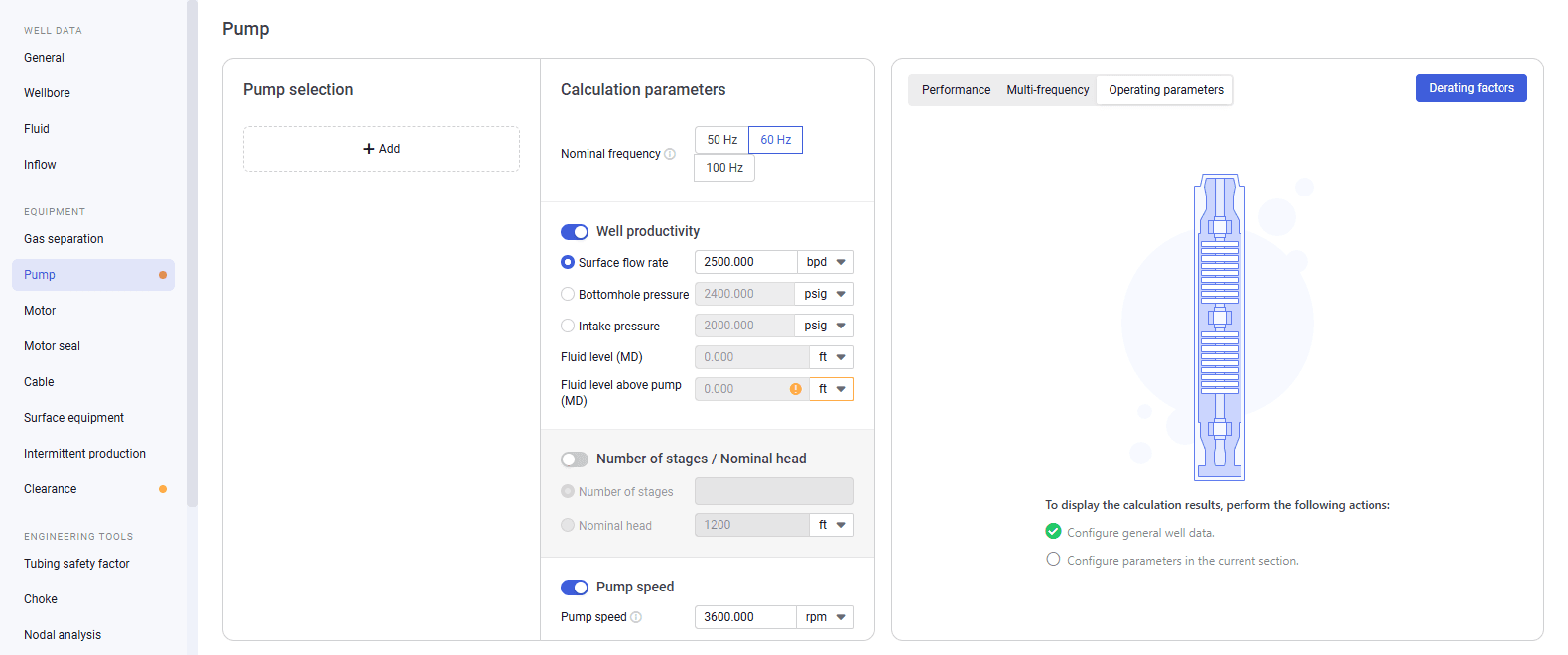
In the left part of the working area, in the list of the module sections, click Pump. To the right of the list, the Pump section opens.
 Select image to enlarge
 -
In the left part of the section, add the desired pump sections. For details, see Configuring Pump Parameters.
-
In the upper-right corner of the section, click Derating factors. The Derating factors window opens.
 Select image to enlarge
 -
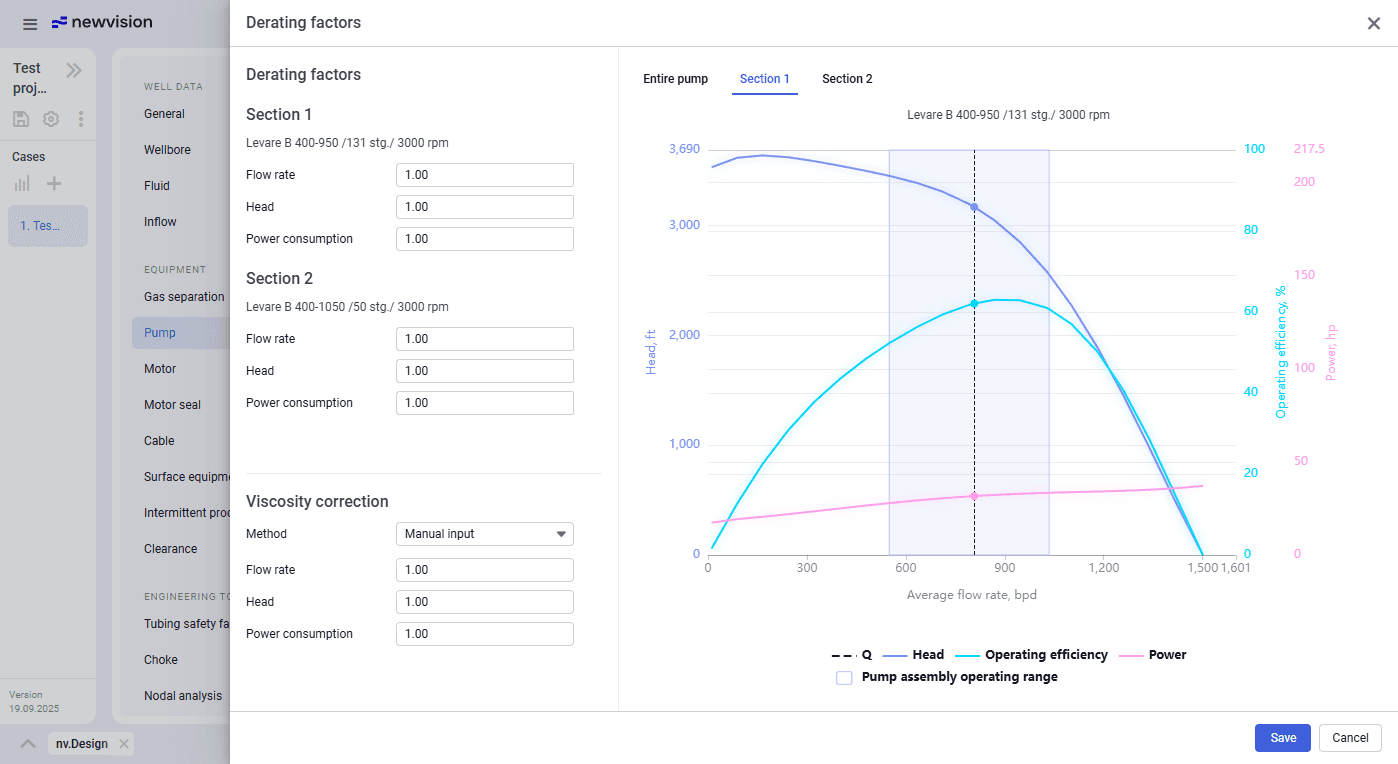
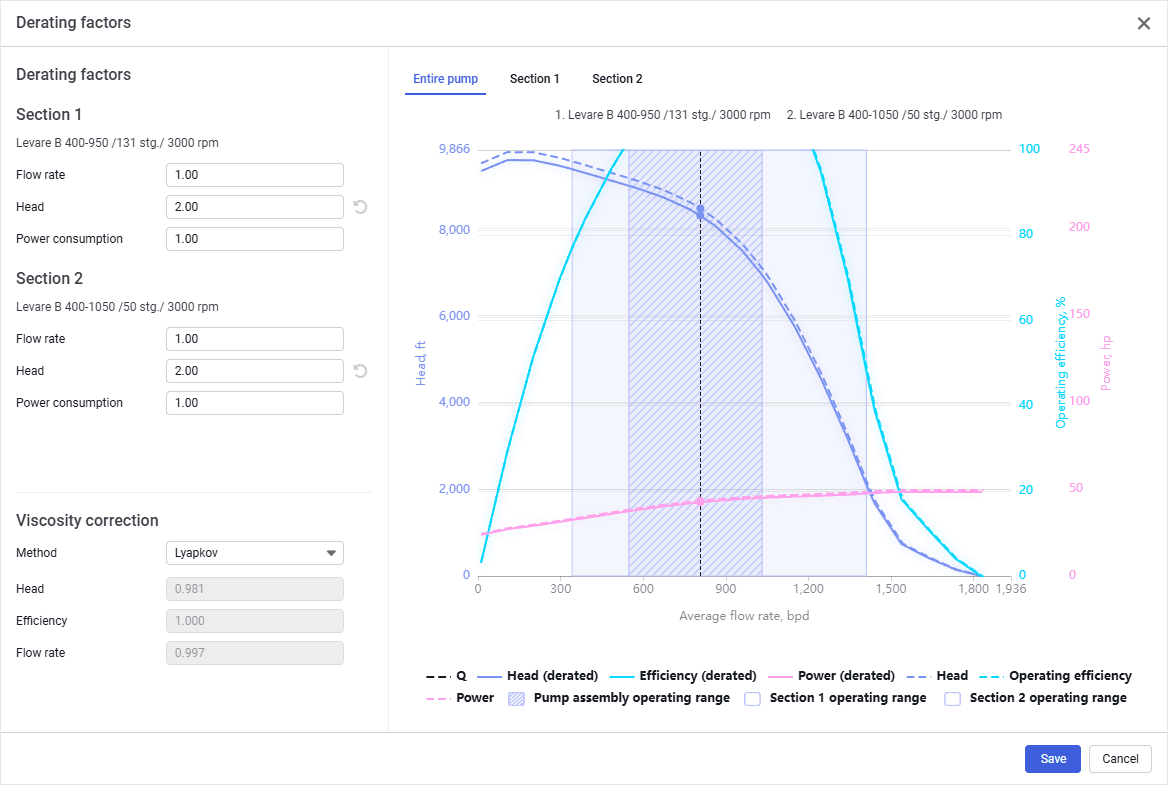
Under the Derating factors heading, enter the derating factor values for all of the pump sections.
-
(Optional) To factor in the fluid viscosity influence on the pump nominal parameters, under the Viscosity correction heading, perform the following actions:
-
From the Method list, select one of the following calculation methods:
-
Manual input: Implies entering the derating factors (most often obtained empirically) manually.
-
Lyapkov: The simplest approach, well suited for rough and preliminary estimates. The derating factors are calculated based on the input data and are then used to reduce the pump nominal performance curves.
-
Petrov: Derived from experimental (bench) testing of ESPs on viscous fluid (rapeseed oil). On average, it reduces the pump’s nominal performance more strongly than the other methods. The principle of viscosity correction is the same as in the Lyapkov method.
-
Centrilift: Methodology proposed by Centrilift. Its calculation principle is the same as of the previously described methods.
-
Hydraulic Institute (USA): Differs from the earlier methods in that the Head and Power consumption coefficients are calculated not for all flow rates, but only for several points. Due to interpolation of intermediate values, its accuracy is lower compared to the other methods.
Note
This method is available only for single-section pumps.
-
-
Depending on the method selected at the previous step, perform one of the following actions:
-
(For Manual input) Enter the derating factors in the Flow rate, Head, and Power consumption fields.
-
(For Centrilift) From the Emulsion stability list, select the desired option (Loose, Medium, or Tight). nter the parameter values required for calculation of the viscosity correction.
-
(For other methods) Proceed to the next step.
Below the Method list, fields with values of the derating factors with the fluid viscosity factored in, are displayed.
 Select image to enlarge
Note
-
-
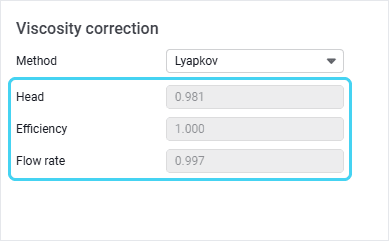
The derating factors related to viscosity correction do not overwrite the derating factors configured in the upper part of the window. Instead, these factors are combined and recalculated. The resulting derating factors include all of the specified conditions.
In the right part of the window, tabs with charts representing the pump operation characteristics are adjusted according to the entered data. For details on these charts, see Pump. Dashed curves correspond to derated characteristics, solid curves represent characteristics without derating.
 Select image to enlarge
Warnings, if there are any, are displayed below the charts.
Note
If the entered factors and/or other parameters configured in the Pump section are not feasible, charts are not displayed. In this case, you need to change the input data.
-
To apply the obtained derating results to the well design, at the bottom of the window, click Save.