Configuring motor derating factors
In the Motor section, you can configure derating factors affecting the motor performance.
To do this, perform the following actions:
-
Open the nv.design module. For details on navigation in the system, see System Interface.
-
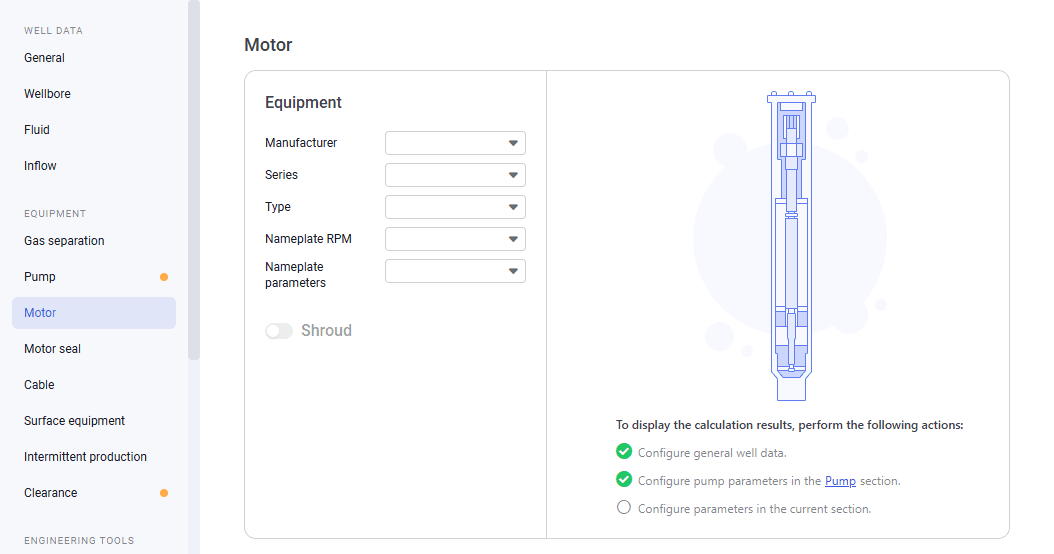
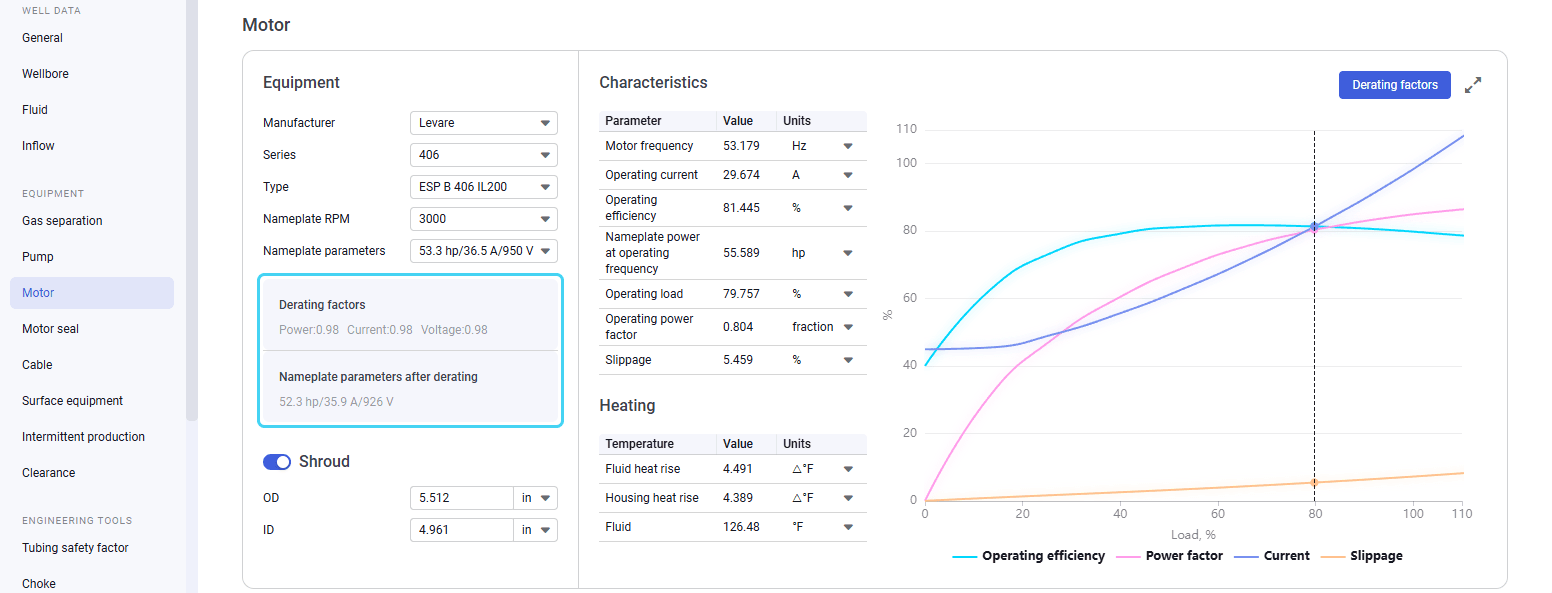
In the left part of the working area, in the list of the module sections, click Motor. To the right of the list, the Motor section opens.
 Select image to enlarge
 -
In the Equipment pane, select the motor parameters from the corresponding lists.
-
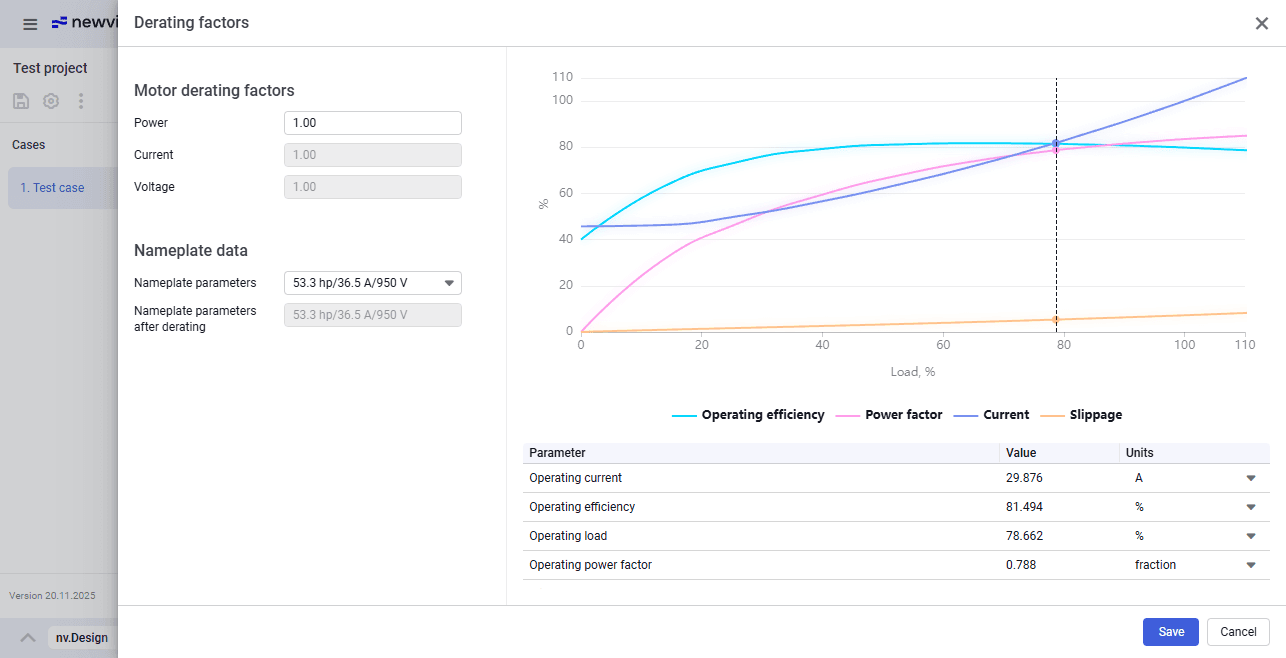
In the upper-right corner of the section, click Derating factors. The Derating factors window opens.
 Select image to enlarge
 -
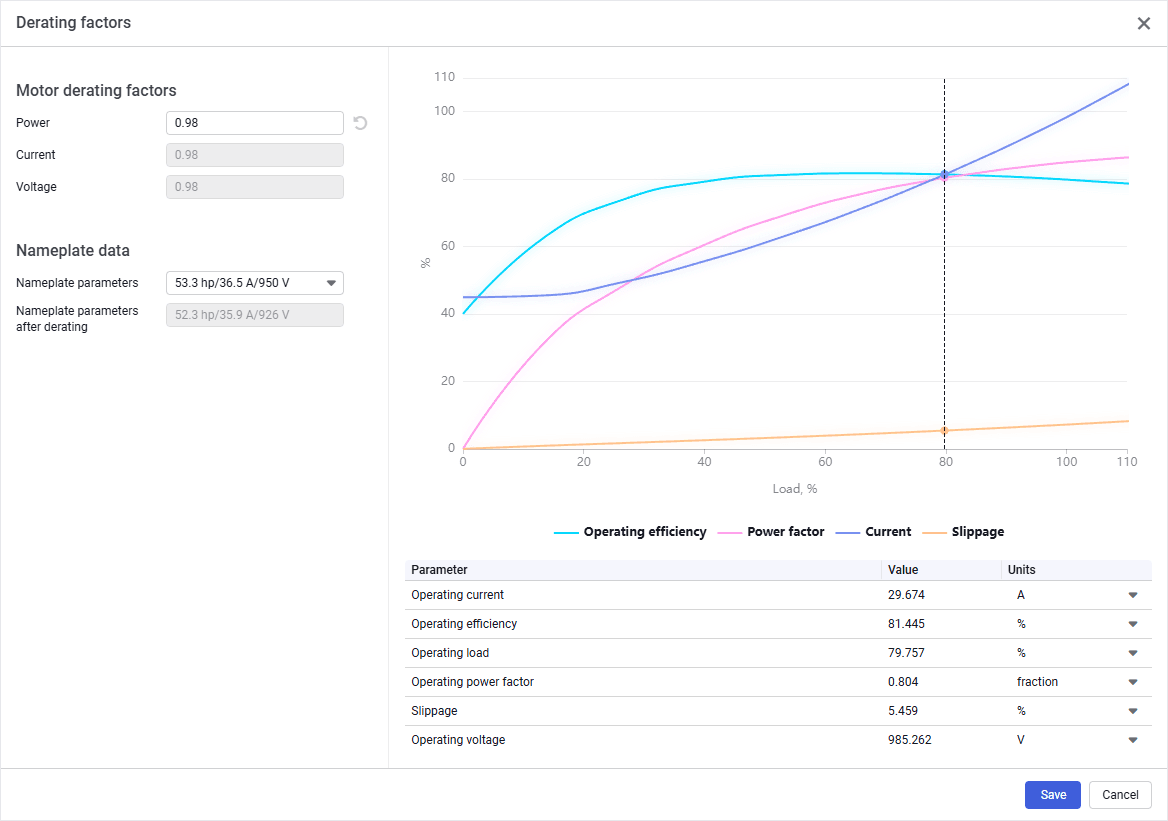
In the window that opens, under the Motor derating factors heading, enter the desired value in the Power field. The Current and Voltage values are calculated automatically and cannot be changed.
-
(Optional) If the selected motor configuration is not sufficient for your current operational needs, from the Nameplate parameters, select another set of parameters to see if it results in the motor efficiency increase.
-
In the right part of the window, a chart and a table provide calculation results of the motor parameters after derating. The intersection of the motor parameter curves with the vertical dashed line corresponds to the motor operating point under the given conditions.
 Select image to enlarge
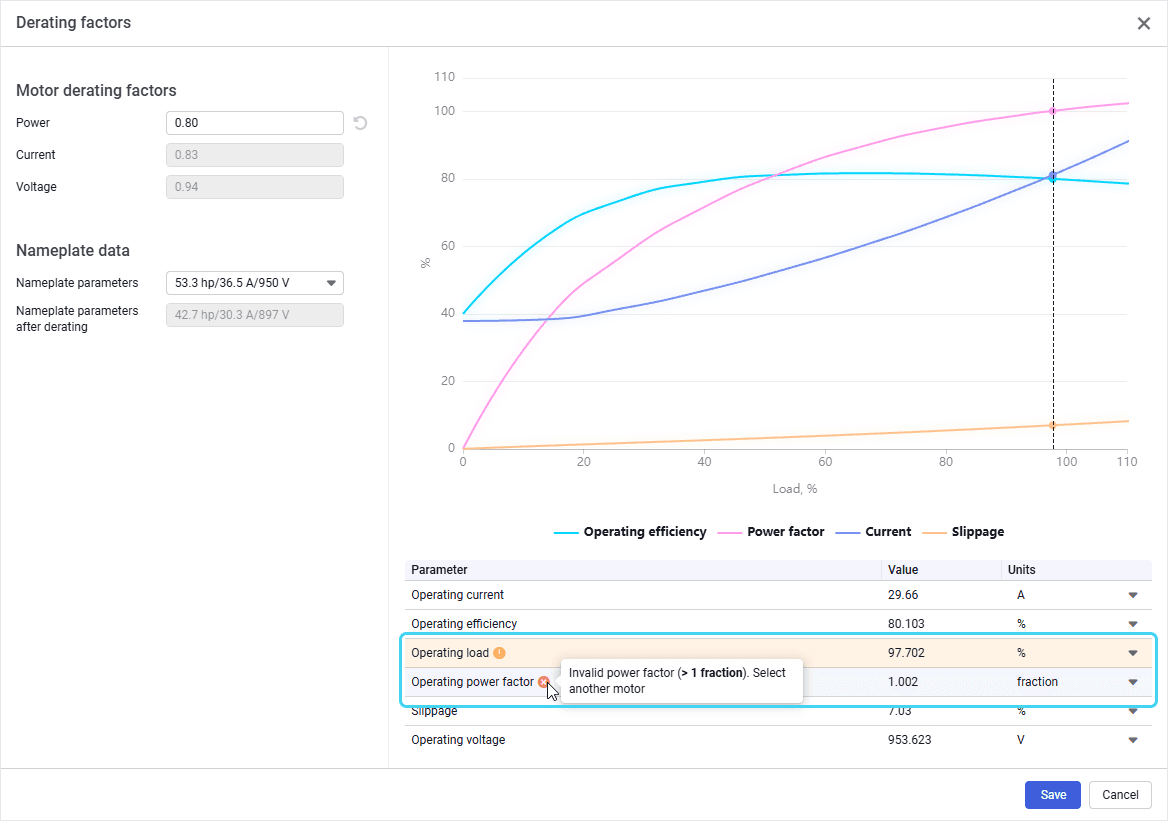
If the calculation produces invalid parameter values, they are highlighted in the table and are supplemented with a hint on how the issue can be fixed.
 Select image to enlarge
 -
In the lower-right corner of the window, click Save. In the Motor section, parameter values in the Characteristics and Heating tables are recalculated according to the configured derating factors. In the Equipment pane, an area with the configured derating parameters is displayed.
 Select image to enlarge